Free Download · Excel & Google Sheets
Aging stock melts. Here’s the plan.
A free aged-stock calculator that puts a weekly carrying cost on every slow mover and gives each one a call — hold, mark down, or liquidate — with a suggested depth. The heart of a real markdown strategy, in one sheet. Excel and Google Sheets. No macros.
Free. Email required so we can send the file. No spam — you can unsubscribe anytime.
What a markdown strategy is — and the margin it saves
A markdown strategy is a plan for when and how deep to discount aging stock — driven by how fast each item sells, what holding it costs every week, and your clear-by date — instead of one panic discount at season’s end.
Because slow stock doesn’t announce itself. It sits politely on the shelf while its season passes, its value melts, and the cash inside it stays frozen. Then the season ends and everything goes 40% off at once — the deep-and-late discount that costs the most margin of all.
What the free aged-stock calculator shows you
The carrying-cost bleed, in dollars
Carrying cost per week and per month on every aging item, so shelf time gets a price tag.
A hold / mark down / liquidate call per item
HOLD (still earning its shelf space), MARK DOWN (aging — with a suggested % from an editable rule table), or LIQUIDATE (too old or not selling).
The cash you'd free by acting now
What clearing the flagged items returns to your bank account — the number that makes clearing a this-week decision.
How it works
- Set your carrying-cost rate — a sensible default is pre-filled.
- Type each slow item: quantity, cost, price, weeks on hand, recent weekly sales — or paste straight from the Inventory Command Center’s dead-stock list.
- Read the Dashboard: the bleed, the calls, and what acting now frees.
Works in Excel and Google Sheets (no macros)
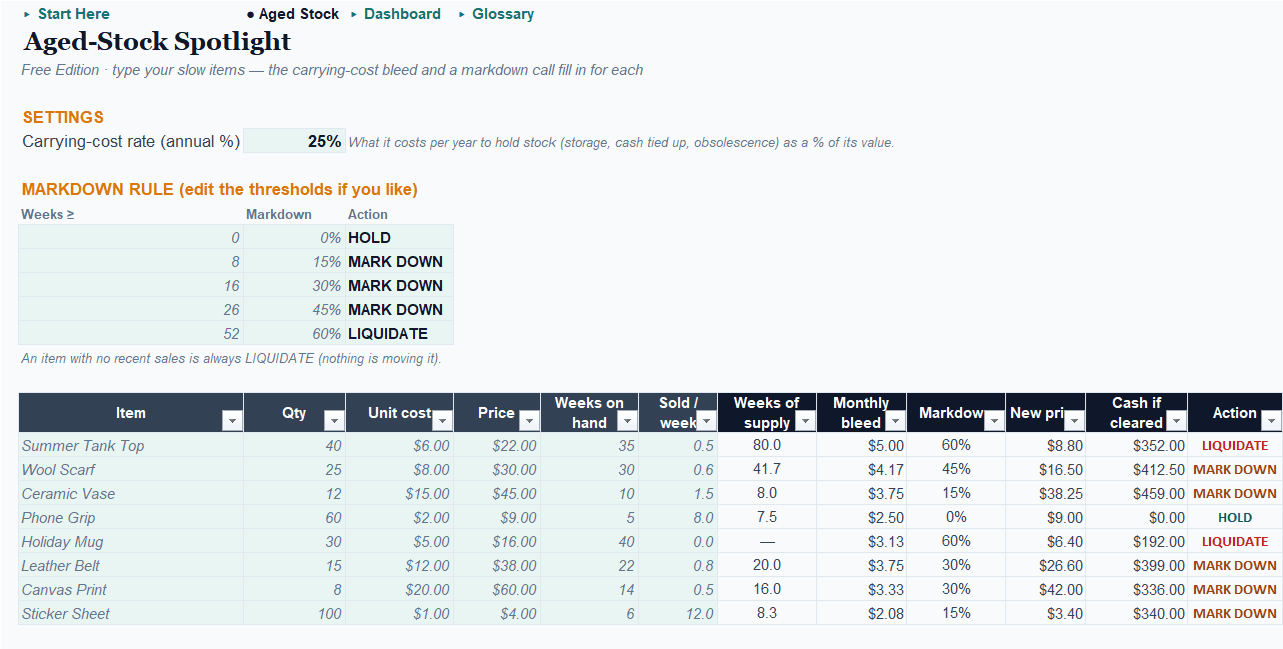
The free Aged-Stock Spotlight is a plain workbook — no macros, nothing to enable, nothing to install. Open it in Excel or Google Sheets and start typing. The Pro edition runs in Excel only — its automation needs macros.
See it in action: the sample shop
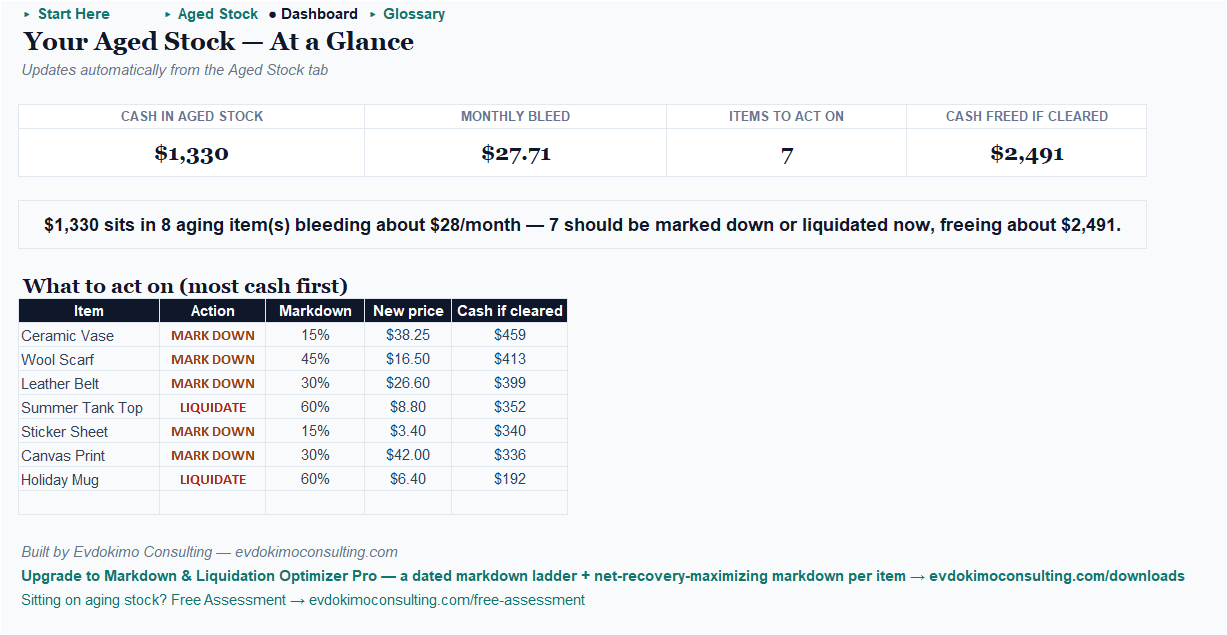
The workbook ships pre-filled with a small shop’s slow stock, sized so every call fires — including one item with no recent sales at all, an instant LIQUIDATE. These are its actual dashboard numbers. Open it, see the calls, then type over the example with your own.
Free vs. Pro: the dated plan that recovers the most cash
Start free. Free tells you which items and roughly how deep — Pro gives you the dated plan that recovers the most cash, never “unlocking the basics.”
| Free — Aged-Stock Spotlight | Pro — Markdown & Liquidation Optimizer | |
|---|---|---|
| Price | Free (email) | $39 one-time · $69 bundled with Inventory Command Center Pro |
| Platform | Excel and Google Sheets | Excel only (macros) |
| Carrying-cost bleed per item | ✓ | ✓ week-by-week over the clearance horizon |
| Hold / mark down / liquidate call | ✓ rule-based | ✓ net-cash-optimized |
| Suggested markdown | ✓ from an editable rule table | ✓ the depth that recovers the most net cash |
| Sell-through response modeling | — | ✓ your estimate, editable per item |
| Liquidate-now vs. hold (net cash) | — | ✓ with salvage floor |
| Dated markdown calendar | — | ✓ staged to your clear-by date |
| Margin saved vs. blanket discounting | — | ✓ the headline number |
| Net-recovery curve per item | — | ✓ pick any item, see the peak |
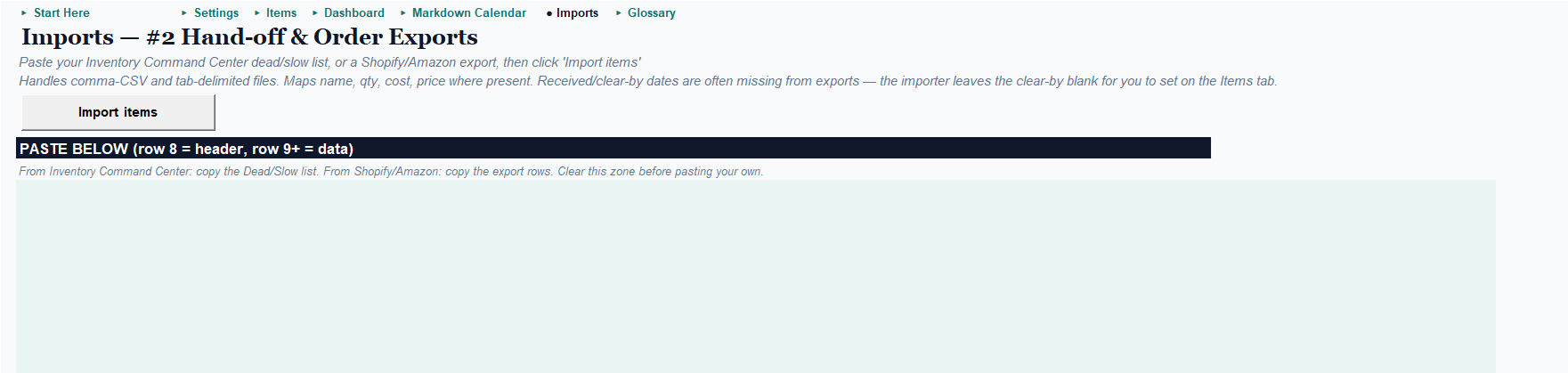
| Inventory Command Center dead-stock hand-off + Shopify/Amazon import | — | ✓ |
| Paste-into-Claude AI commentary | — | ✓ (+ no-AI fallback) |
Free finds the melting ice. Pro sells it before it’s water.
Panic discounts everything. A plan clears it for more.
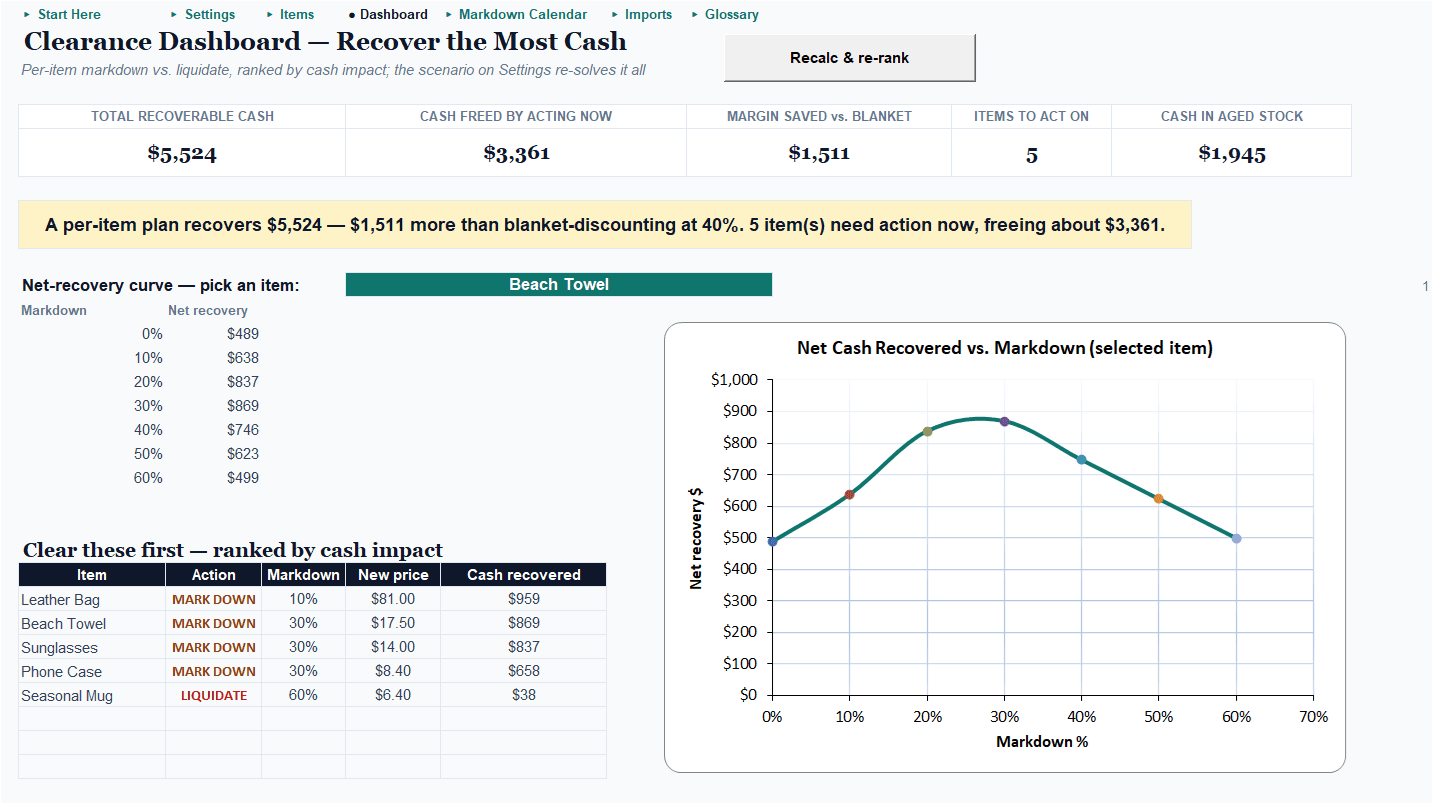
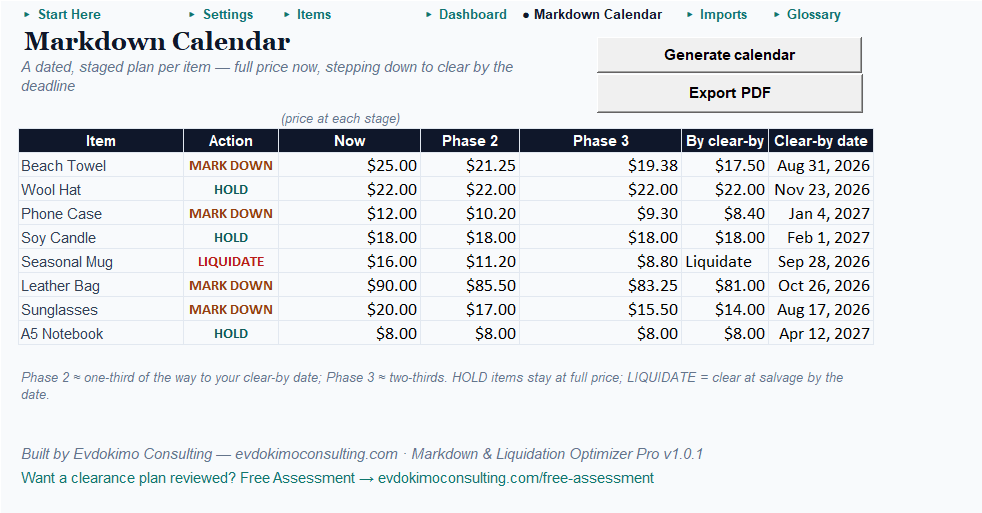
Pro tests every markdown depth against your own answer to “how much does a discount lift my sales?”, picks the depth that recovers the most net cash — price recovered, minus the carrying cost of the weeks it takes, with salvage as the floor — and compares it to liquidating the lot today. Then it prints a dated markdown calendar: full price now, stepping down on schedule to clear by your deadline. In the sample catalog, the per-item plan recovers $5,524 — $1,511 more than blanket-discounting at 40% — and ranks the five items to act on first. Imports your Shopify or Amazon exports, and takes the Inventory Command Center’s dead-stock list directly. Excel, one-time purchase.
Better together
Find it, then fix it: the Inventory Command Center bundle.
The Inventory Command Center finds cash tied up in dead and slow stock; the Markdown & Liquidation Optimizer recovers it. They’re built to hand off: the Command Center’s dead-stock list lands in the Optimizer’s import tab in one paste. One purchase, both Pro editions — vs. $88 separately.
Get the free calculator
Enter your email and we’ll send the Aged-Stock Spotlight — plus a short series on clearing aging stock at the best possible margin.
We'll email the download link. No spam — unsubscribe anytime.
Every engagement comes with a number — the free tools included. Sitting on more aged stock than a spreadsheet should handle? Start with a free assessment →
Frequently asked questions
Is it really free?
Yes — the Aged-Stock Spotlight is a free download; we ask for your email so we can send the file and occasional useful tips. Unsubscribe anytime.
What is a markdown strategy?
A plan for when and how deep to discount aging stock — driven by how fast each item sells, what holding it costs every week, and your clear-by date — instead of one panic discount at season's end. The calculator turns those inputs into a per-item call.
How does it decide hold vs. mark down vs. liquidate?
From the worse of two signals — how long the item has sat and how many weeks of supply remain at its sales rate — through an editable rule table. Items with no recent sales flag straight to liquidate. You can tune every threshold.
What does Pro add?
The full engine: it tests every markdown depth against your own sell-through response, picks the one that recovers the most net cash, compares that against salvaging today, and prints a dated markdown calendar per item — plus imports and the Inventory Command Center dead-stock hand-off. One-time $39.
Are the recommendations guaranteed optimal?
No — the response estimate is yours to refine with real clearance results, and the optimizer picks the best of a 0–60% grid. It's an honest starting plan that beats guessing; the sample catalog's plan beats blanket discounting by about $1,500.
Does it work with the Inventory Command Center?
Yes, by design — the Inventory Command Center finds dead and slow stock; its list pastes directly into the Optimizer's import tab. The two are also available as a bundle ($69 for both Pro editions).
Let’s find your number.
Start with the free calculator — or tell me what you’re working on, and we’ll find the one metric worth moving first.