Free Download · Excel & Google Sheets
See a cash crunch 13 weeks before it hits.
A free 13-week rolling cash flow forecast template that shows your lowest cash week, how much runway you’ve got, and the one move to make this week — built for owners, not accountants. Works in Excel and Google Sheets. No macros, nothing to install.
Free. Email required so we can send the file. No spam — you can unsubscribe anytime.
A bank balance only says what’s there today. Then payroll, a vendor, or a tax bill lands and the number’s suddenly tight. The problem isn’t the money — it’s not seeing it coming.
What the free 13-week cash flow forecast shows you
Know your lowest week before it arrives.
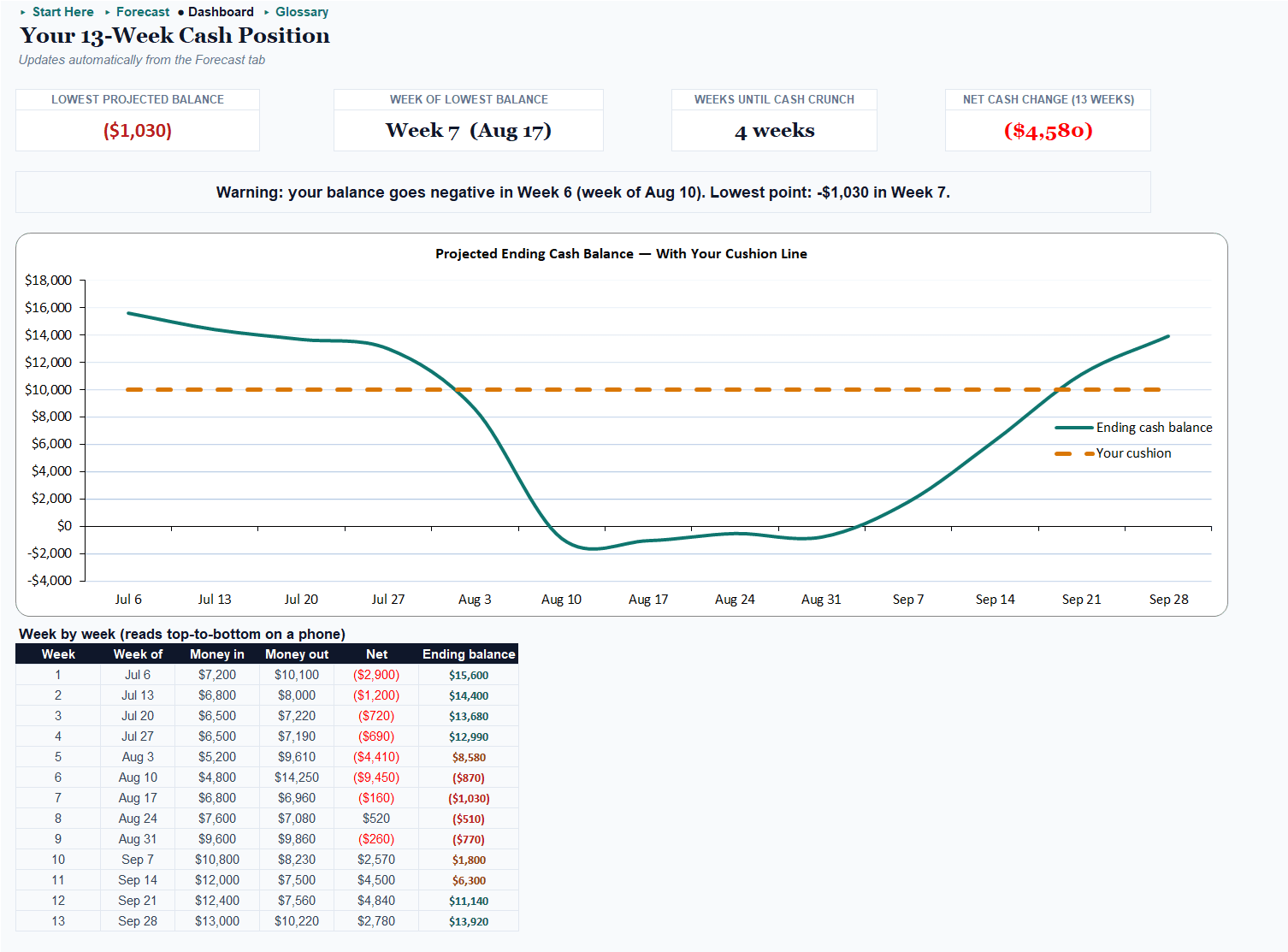
A 13-week rolling view of money in and out, with your ending balance charted against a safety cushion line.
A plain-English call, not just a grid.
One signal line reads out what's happening: “Heads up: you dip below your cushion around Week 6 — about 4 weeks out.”
Four numbers that matter, up top.
KPI tiles: lowest projected balance, the week it happens, weeks until a cash crunch, and your 13-week net change.
Roll it forward each week in a minute.
A documented one-step routine — no macros, no formulas to touch.
Runs where you already work.
Identical in Excel and Google Sheets. Verified, not promised.
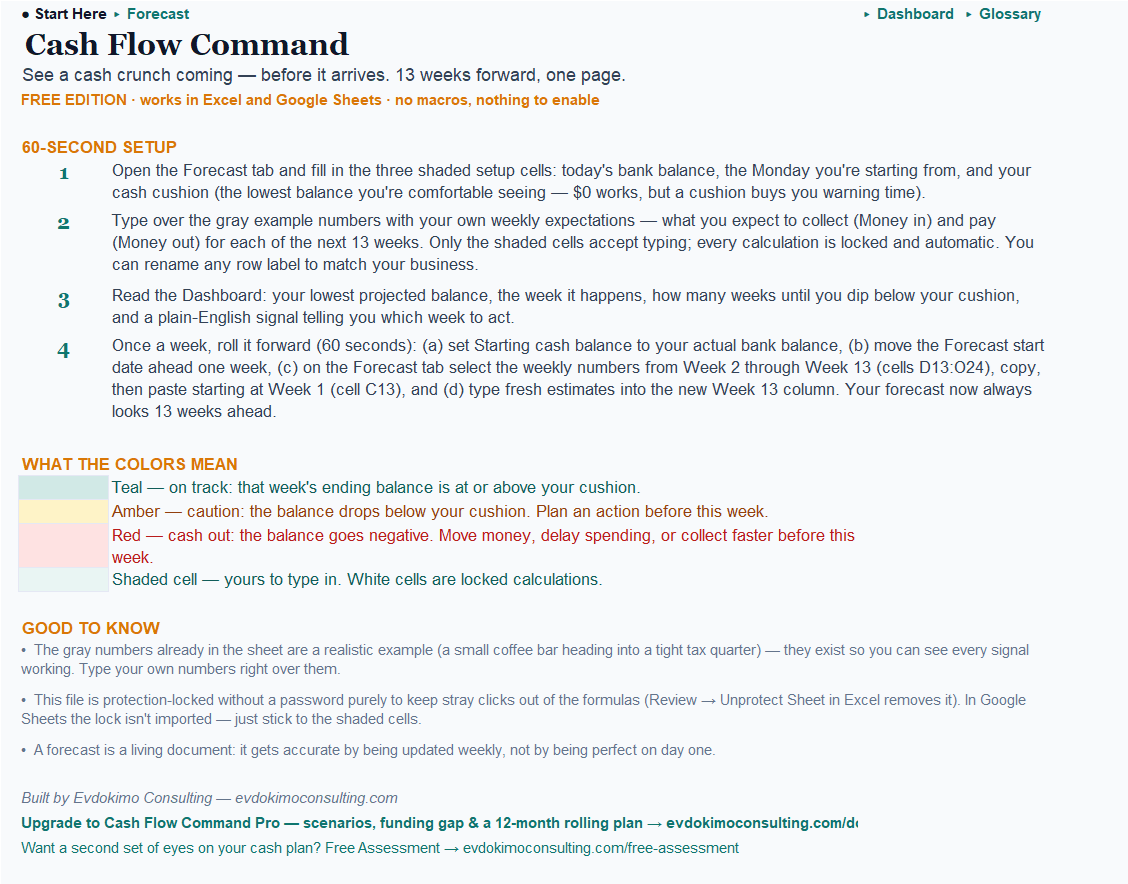
Set up in under 10 minutes.
A “Start Here” tab walks a first-timer through it, pre-filled with an example you type over.
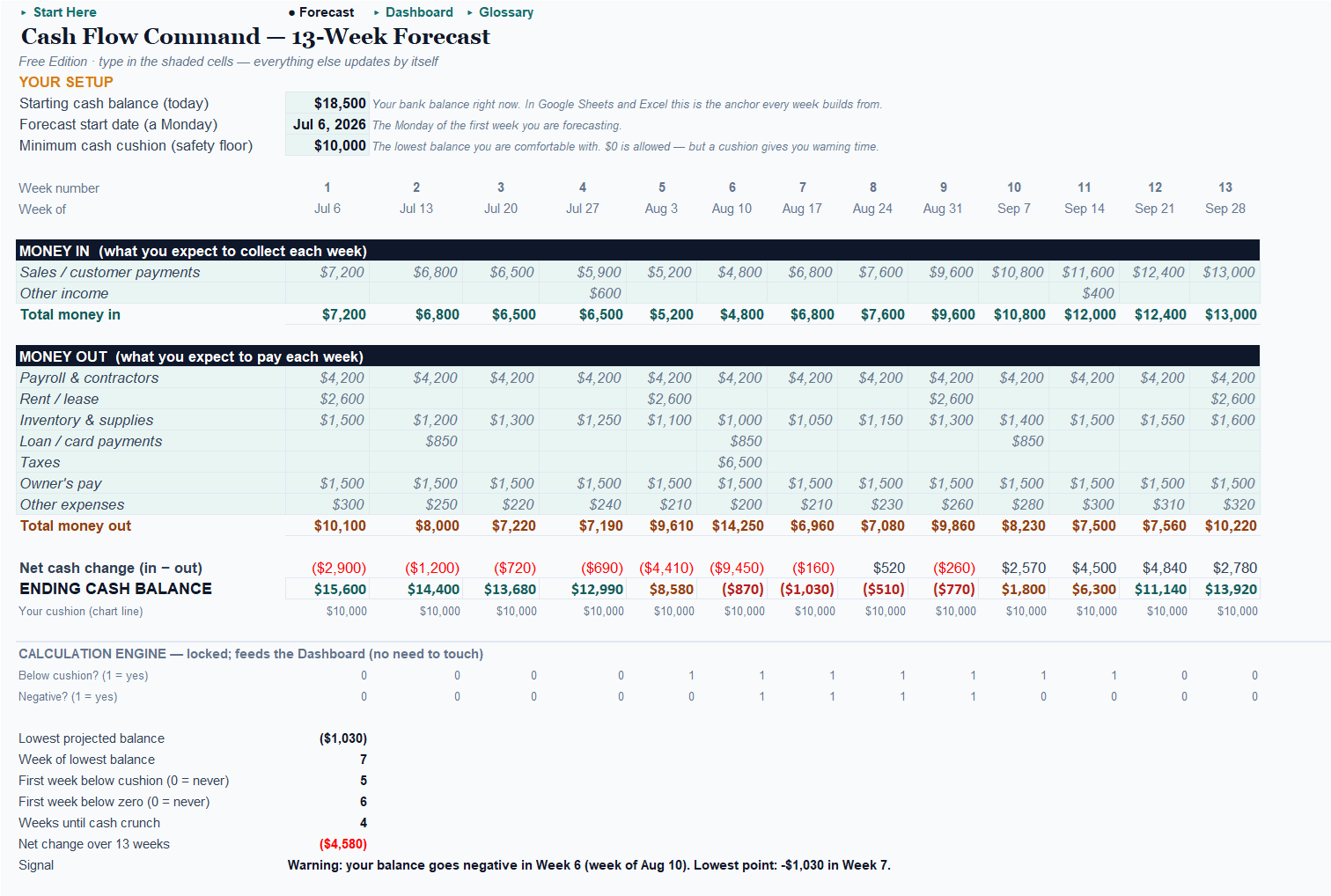
See it in action: the Riverbend Coffee Bar example
The workbook ships pre-filled with a fictional coffee bar heading into a tight tax quarter — sized so every signal fires. These are its actual dashboard numbers. Open it, see the warning light up, then type over the example with your own.
Free vs. Pro: when to upgrade
Start free. Upgrade when you’re making real money decisions — the Pro edition adds more decisions and less manual work, never “unlocking the basics.”
| Free — 13-Week Forecast | Pro — Rolling Forecast & Runway Planner | |
|---|---|---|
| Price | Free (email) | $39 one-time |
| Platform | Excel and Google Sheets | Excel only (macros) |
| Horizon | 13 weeks | 13 weeks + 12-month rolling |
| Lowest week / runway | ✓ | ✓ |
| Plain-English signal | ✓ | ✓ ranked “do this week” list |
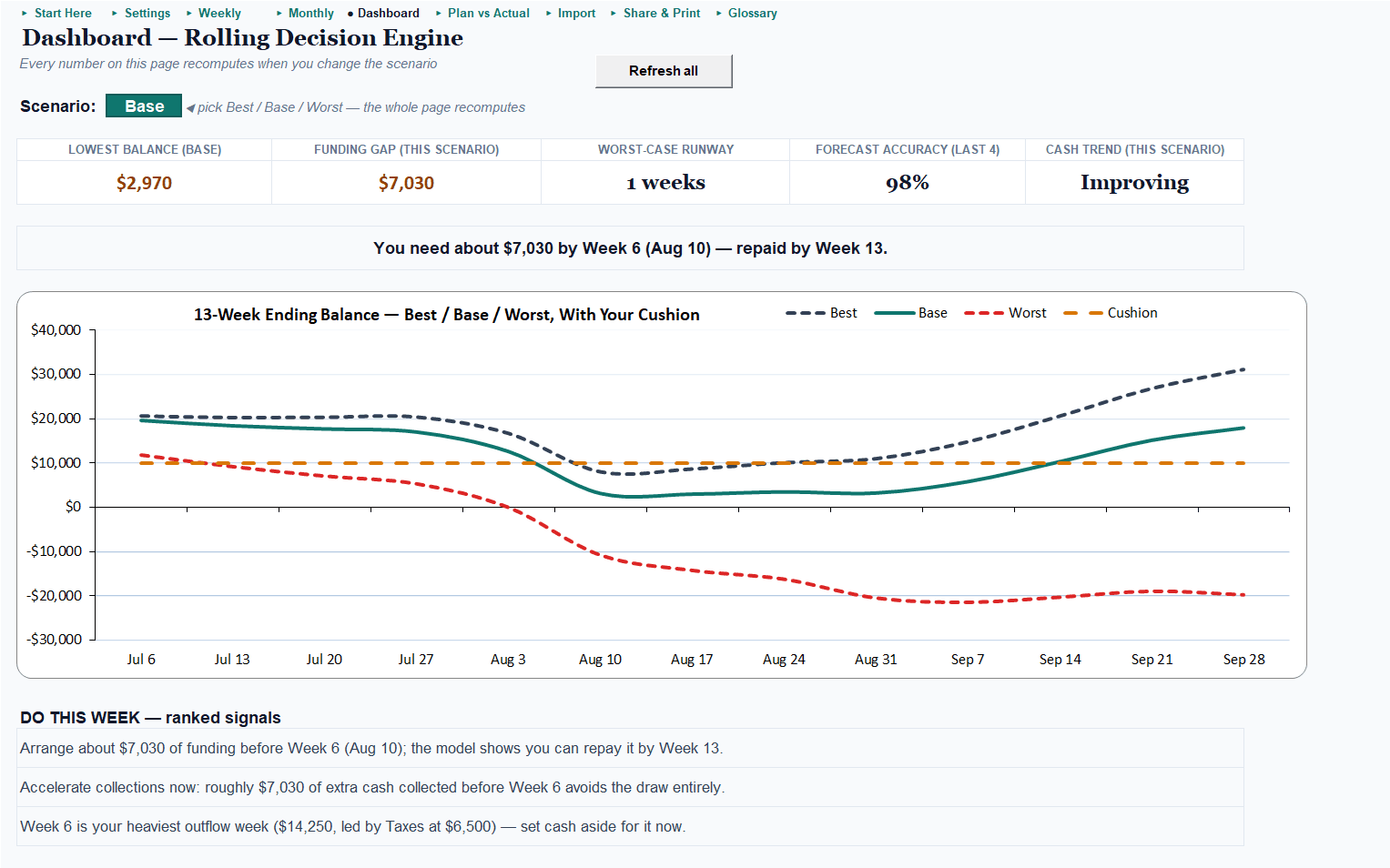
| Scenarios (best/base/worst) | — | ✓ one switch, fan chart |
| Funding gap (how much, which week) | — | ✓ e.g. $7,030 by Week 6, repaid Week 13 |
| Plan vs. actual + forecast accuracy | — | ✓ |
| Import bank CSV / QuickBooks P&L | — | ✓ tolerant paste |
| One-click lender-ready PDF | — | ✓ |
| Paste-into-Claude AI commentary | — | ✓ with a no-AI fallback |
Free tells you the low is coming. Pro tells you exactly how much to draw, which week, and what to do about it.
Ready to run the decisions, not just see them?
Cash Flow Command Pro turns the 13-week view into a rolling decision engine — model best/base/worst, size exactly how much funding you need and which week, track how accurate your forecasts have been, and get a ranked “do this week” list. Excel, one-time purchase.

Planning further out? This forecast is fed by the Demand & Sales Forecaster — its monthly sales forecast pastes straight into your cash-in line, so the 13 weeks ahead start from your demand plan, not a flat assumption.
Get the free 13-week forecast
Enter your email and we’ll send the download link — plus a short series on getting the most from it.
We'll email the download link. No spam — unsubscribe anytime.
Every engagement comes with a number — the free tools included. Want a second set of eyes on your actual numbers? Start with a free assessment →
Frequently asked questions
Is it really free?
Yes — the 13-week free edition is a free download; we ask for your email so we can send the file and occasional useful tips. Unsubscribe anytime.
Do I need Excel, or does Google Sheets work?
Either. The free edition is verified to work identically in Excel and Google Sheets, with no macros to enable.
How is this different from other free cash flow templates?
Most are accountant-built grids. This one reads out a plain-English signal — it tells you your lowest week, how many weeks of runway you have, and what to do this week — not just a table of numbers.
How long does setup take?
Under 10 minutes. A “Start Here” tab walks you through it, and it ships pre-filled with an example you type over.
What do I get if I upgrade to Pro?
Scenario planning (best/base/worst), a funding-gap figure (how much to draw and which week), a 12-month rolling view, plan-vs-actual accuracy tracking, bank/QuickBooks import, a one-click lender-ready PDF, and an AI-commentary block.
Can you set this up or run it for me?
Yes — that's the consulting side. Start with a free assessment and we'll find the one number worth moving first.
Let’s find your number.
Start with the free forecast — or tell me what you’re working on, and we’ll find the one metric worth moving first.